Annotate the actual page
Enter a dedicated PDF workspace to draw, write, add shapes, notes, tables, and connectors in page-local coordinates.
PDF annotation workspace
Import a PDF, annotate its pages, and connect the document to notes, diagrams, and ideas on the same infinite whiteboard.
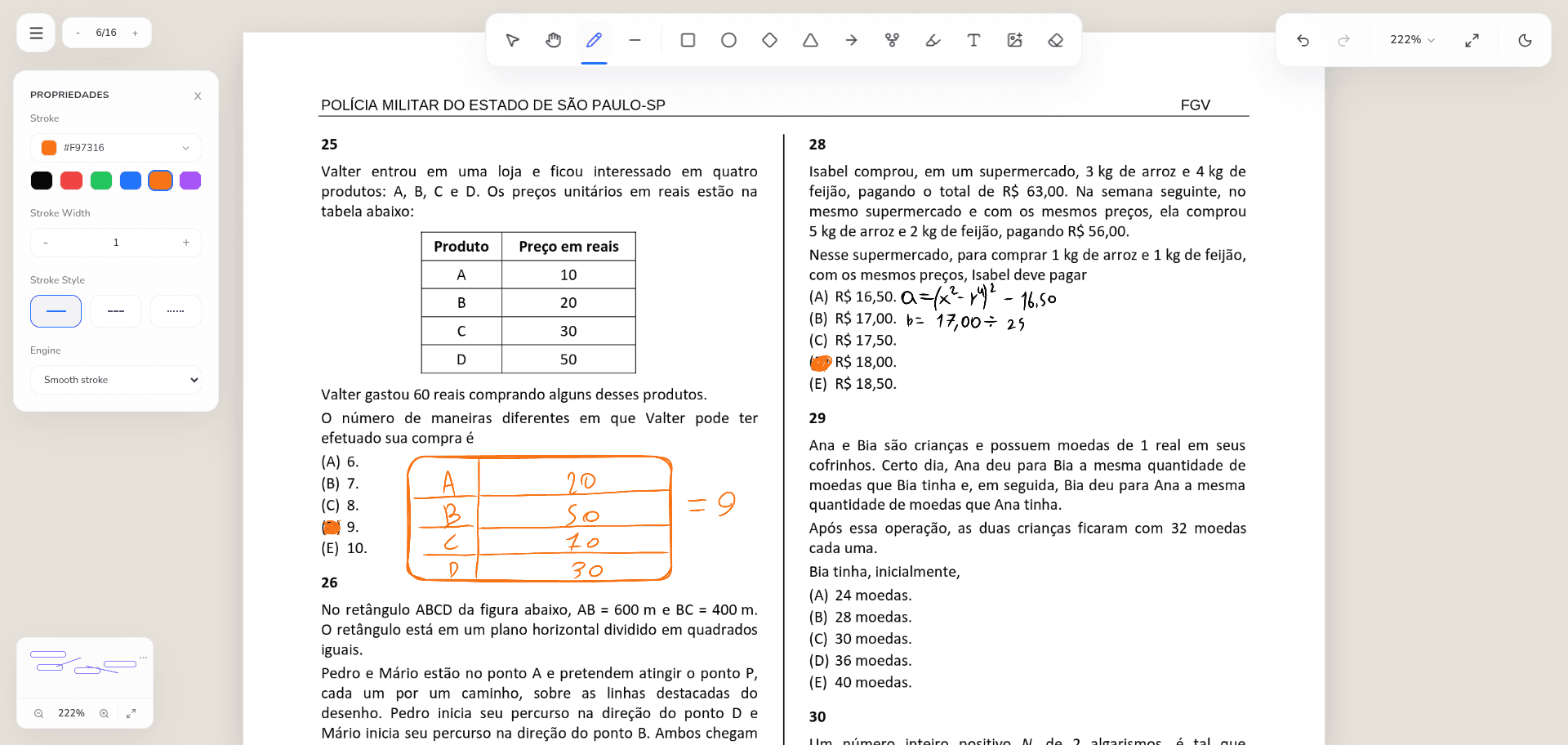
Enter a dedicated PDF workspace to draw, write, add shapes, notes, tables, and connectors in page-local coordinates.
The PDF remains part of the wider canvas, so source material can sit beside explanations, diagrams, and related evidence.
Extracted page references point back to the original document page instead of creating disconnected copies of the source.
HOW IT FITS YOUR WORK
Traditional PDF tools keep annotations inside the boundaries of a document. Traditional whiteboards can show screenshots, but those images lose page navigation and their relationship to the source. Vertexa keeps the PDF and the surrounding visual work connected.
Import a document onto the whiteboard, open it with a double click, and work in a dedicated page view. Navigate pages, zoom for close reading, and add annotations without turning each page into an unrelated image.
PDF mode supports the tools needed to explain what you are reading: freehand marks, shapes, text, sticky notes, tables, and connectors. Annotations belong to their PDF page, so they stay aligned when the page is viewed again or represented elsewhere on the whiteboard.
This makes the workspace suitable for research, studying, document review, and any process where the reasoning around a source matters as much as the marks placed directly on it.
A document rarely explains the complete thought. On the surrounding infinite canvas, you can compare sources, create a table, map a process, or connect a page to a note that captures why it matters.
Page references provide a lightweight path back to the source. Instead of copying the same PDF data repeatedly, references preserve navigation to the original page and its annotations.
COMMON QUESTIONS
Yes. Double click an imported PDF to enter its workspace, then annotate pages with drawing, text, shapes, notes, tables, and connectors.
The current free board stores imported PDF data in this browser on this device. It is not uploaded to a Vertexa cloud account.
Yes. The PDF lives on the whiteboard, and extracted page references can point to specific pages while the wider canvas holds related notes and diagrams.